
Need to know how to get more Google reviews for your Alberta trades or industrial business? Optimize your Google Business Profile, ask customers at the right moment using text and email templates, offer compliant incentives, and respond to every review. This guide covers each step, plus scripts you can use today. Contact us if you’d rather have a team build the system for you.
If your competitor down the street has 80 Google reviews and you have 12, guess who shows up first when a customer searches for your service. That gap costs Alberta trades, construction, and industrial businesses real leads every single week, and most owners know it but never fix it. This guide breaks down exactly how to get more Google reviews, covering Google Business Profile setup, request timing, word-for-word scripts, ethical incentives, and how to respond once reviews start rolling in.
We put this together at Cutting Edge Digital Marketing after watching too many established service businesses lose ground to competitors with weaker work but stronger review counts. You don’t need a massive marketing budget to fix this, just a system you actually follow. Read on, and you’ll walk away with a plan you can start using today.
Key Takeaways
Optimize your Google Business Profile completely before you ask a single customer for a review.
Request reviews at the moment satisfaction peaks, using text, email, and in-person requests together.
Use Google-compliant incentives like draws or discounts to boost participation without breaking the rules.
Respond to every review, good or bad, since this builds trust and supports local rankings.
Add schema markup to your website so review data displays clearly to both customers and search engines.
Track your conversion rate and adjust your process every quarter to keep results improving.
Table of Contents
- Why Do Google Reviews Matter So Much for Your Business?
- How to Set Up Your Google Business Profile for More Reviews
- How to Ask Customers for a Google Review (Step-by-Step)
- How to Get Customers to Leave More Positive Reviews
- How to Respond to Google Reviews (Positive and Negative)
- How Cutting Edge Digital Marketing Helps You Build a Review System That Lasts
- In Summary
- Frequently Asked Questions
Why Do Google Reviews Matter So Much for Your Business?
Google reviews matter because they directly shape how high your business ranks in local search and Google Maps, while also acting as instant proof that you deliver on your promises. For Alberta service and trades companies, the businesses with more reviews and stronger ratings consistently sit above competitors when someone searches “electrician near me” or “industrial fabricator Calgary,” which means more calls without spending another dollar on ads.
Reviews also shorten the sales cycle for construction, industrial, and B2B service buyers who need to trust a vendor before signing a contract, and research shows online reviews influence 97% of purchase decisions across industries, reinforcing why review volume matters even in B2B sales. A buyer comparing three quotes for a $50,000 project will lean toward the company with 60 detailed reviews over the one with 3, even if the pricing is nearly identical. Roughly 96% of consumers check online reviews before a first-time purchase, according to a recent consumer trust survey, and that trust factor applies just as much to industrial buyers as it does to homeowners. Many buyers also cross-check your profile against Yelp or Trustpilot listings, so a consistent rating across platforms matters more than a single perfect Google score.
How to Set Up Your Google Business Profile for More Reviews
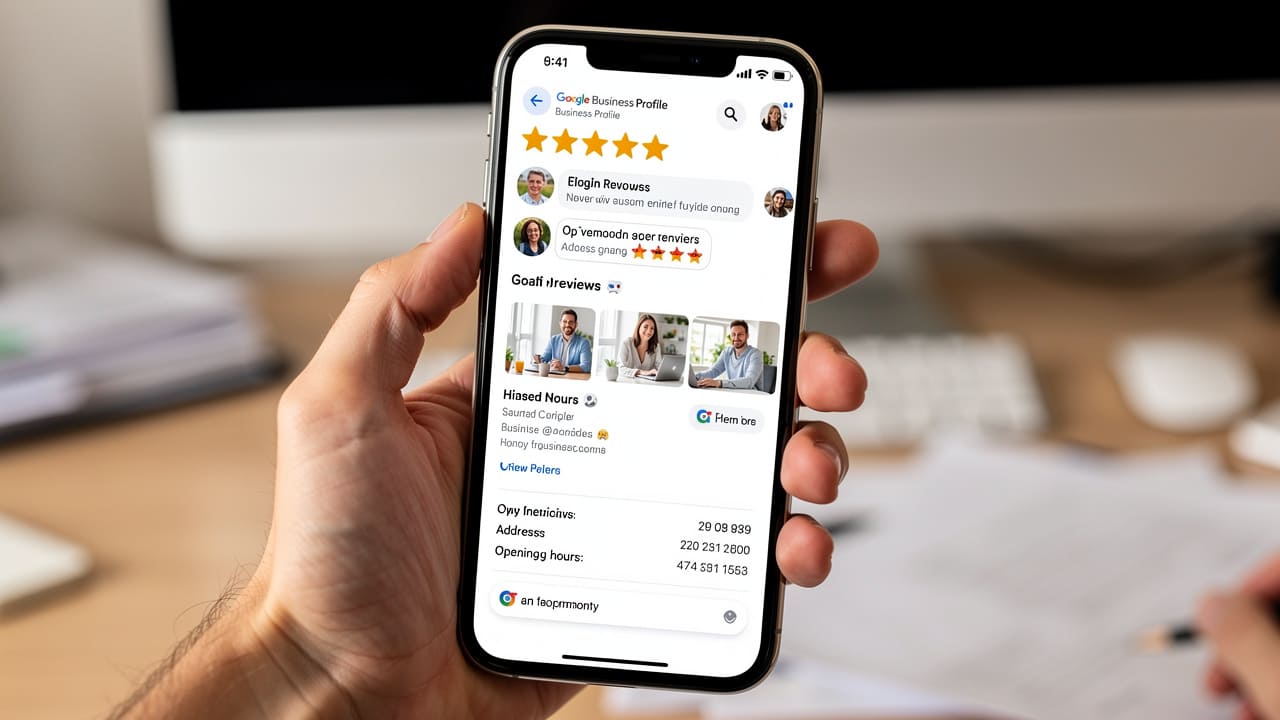
A Google Business Profile built for review generation starts with total accuracy and ends with a visible, easy path for customers to leave feedback. Before you send a single review request, your profile needs to load fast, answer every question a prospect might have, and make the review button obvious, because an incomplete or outdated listing quietly kills your conversion rate before a customer ever reaches the request itself. Google’s own algorithm favours complete, active profiles when ranking local businesses, so this step isn’t optional housekeeping, it’s the foundation everything else in this guide depends on.
Adding review schema markup to your website’s structured data also helps search engines display your star rating directly in search results, giving you an edge before a customer even clicks through. This technical step works alongside your Google Business Profile rather than replacing it, and it’s worth asking your web developer or marketing partner to confirm it’s implemented correctly.
Complete Every Profile Field Accurately
Every field in your Google Business Profile influences whether a customer trusts you enough to leave a review, so accuracy here isn’t a small detail, it’s the groundwork. Your business name, address, phone number, hours, service area, business category, and a clear description of what you actually do all need to match your website and other directories exactly, since Google flags inconsistencies and buries mismatched listings in search results.
Canadian businesses should double check the small details too, including the correct province abbreviation and a properly formatted postal code, since these get overlooked more often than you’d expect. If you serve multiple regions across Alberta or Western Canada, list them specifically rather than leaving the service area vague, because customers and Google both reward clarity over guesswork.
Add Photos and a Direct Review Link

Photos and an obvious review link turn a passive listing into an active review-generating tool, giving customers proof of your work and a clear path to say so publicly. Trades and industrial companies should post 10 to 15 photos covering completed projects, equipment, team members on site, and before-and-after shots, since visual proof builds more trust in 10 seconds than a paragraph of text ever will.
Once your visuals are in place, generate a direct link to your review page and shorten it with a free tool so it looks clean in texts and emails. Add that link everywhere a customer might look, including your email signature, invoice footer, and website, because every extra click a customer has to make cuts your response rate down.
How to Ask Customers for a Google Review (Step-by-Step)
Asking customers for a Google review works best as a repeatable process built around the moment satisfaction peaks, not a one-off favour you awkwardly request. The businesses that generate the most reviews treat the ask as a normal part of finishing a job, not an afterthought, which means timing and wording both need to be planned in advance rather than improvised on the spot. Many growing companies also use review automation tools like Birdeye or Podium to send requests at scale once their manual process is dialed in.
When Is the Best Time to Ask for a Review?
The best time to ask for a review is within 24 to 48 hours of finishing a home service job, while the experience is still fresh and satisfaction is at its highest point. For industrial or equipment clients, wait one to two weeks after installation so the customer has seen the equipment perform before you ask them to comment on it.
Waiting weeks or months after the fact drops your response rate significantly, since the emotional high of a job well done fades fast and other priorities take over the customer’s attention. Building the request into your final walkthrough or invoice process keeps timing consistent no matter which team member closes out the job.
Text, Email, and In-Person Request Templates

A short, direct message almost always outperforms a long, formal one, since customers are more likely to act on something they can read and complete in under a minute. Text messages in particular tend to see far higher response rates than email, largely because people check texts within minutes while emails can sit unread for days.
Here are three request formats worth building into your process right away.
Text message example: “Thanks for choosing us! Would you mind sharing your experience? [link] It only takes 30 seconds and really helps our small team out.” This works because it’s short, personal, and removes any guesswork about what to do next.
Email example: Keep it to three or four sentences, thank the customer by name, reference the specific job, and place a clickable review button near the top rather than burying it at the bottom.
In-person or handwritten note: Mention the review request verbally at the final walkthrough, or leave a short handwritten thank-you card with the link included, since this personal touch consistently outperforms fully automated requests.
If a customer doesn’t respond within a week, send one polite follow-up framed as a friendly reminder rather than a demand, since a second gentle nudge often catches people who simply forgot the first time.
How to Get Customers to Leave More Positive Reviews
Getting more positive reviews comes down to two things working together, ethical incentives that encourage participation and service habits that prevent problems before they turn into complaints. Google’s policy is clear that you cannot pay for or trade favours specifically for a positive review, but you can absolutely reward customers for taking the time to leave feedback of any kind.
Consider building a few of these into your process.
Monthly prize draws where every customer who leaves a review, positive or otherwise, gets entered to win a gift card or service credit, keeping participation fair and compliant.
Small discounts on future services offered to any customer who leaves a review, which rewards the action rather than the star rating.
Loyalty points that customers earn simply for leaving feedback, redeemable later for discounts, which keeps the incentive tied to participation, not sentiment.
On the service side, a quick follow-up call or text asking “is everything working the way you expected?” often catches small frustrations before they become a two-star review, turning a potentially unhappy customer into someone who feels heard and satisfied enough to leave positive feedback.
Building a Review-Request Habit Across Your Team

Building a review-request habit means every customer-facing employee, from site supervisors to account managers, understands why reviews matter and knows how to ask naturally without sounding scripted. Training should cover simple, real phrasing your team can use in the moment, along with reassurance for customers who hesitate over privacy concerns or unfamiliarity with leaving a Google review.
Track each team member’s requests-to-reviews conversion rate so you know who’s excelling and who might need coaching. Sharing these numbers openly, and recognizing top performers, turns review generation into a normal part of how your business operates rather than a task nobody owns. Want help setting this up properly? Get started with a team that builds review systems for a living.
How to Respond to Google Reviews (Positive and Negative)

Responding to Google reviews well protects the reputation you’ve worked to build and shows every future customer reading your profile that you take feedback seriously. For positive reviews, thank the customer by name and reference something specific they mentioned, since generic replies feel hollow and undercut the effort the customer made writing the review in the first place.
For negative reviews, stay calm, acknowledge the concern without getting defensive, and invite the customer to continue the conversation offline.
“We’re sorry to hear about this experience, this isn’t our standard, please call us at [number] so we can make it right.”
A response like this shows other readers you handle criticism professionally, which often builds more trust than a flawless five-star average would on its own. It’s also worth checking your profile periodically for fake or suspicious reviews, since fraud detection on Google’s end isn’t perfect and a fabricated one-star review from a competitor can slip through undetected.
Table: Response Dos and Don’ts
The table below gives you a quick reference for handling reviews without second-guessing every response.
| Do | Don’t |
|---|---|
| Thank the customer by name and mention specifics | Post a generic, copy-paste reply |
| Offer to resolve issues by phone or email | Argue or get defensive in public |
| Stay calm and professional in every reply | Include promotional links or sales pitches |
| Respond within 24 to 48 hours | Ignore negative reviews and hope they disappear |
How Cutting Edge Digital Marketing Helps You Build a Review System That Lasts
Cutting Edge Digital Marketing helps Alberta and Western Canadian service businesses turn review generation from a scattered effort into a lasting system tied to real local SEO and lead-generation results. Rather than handing you a generic checklist, the team builds review requests into your broader website, branding, and local search strategy, so every customer touchpoint, from your invoice footer to your Google Business Profile, works toward the same goal.
We’ve spent years working alongside construction, industrial, oil and gas, and trades companies across the region, so we understand where review requests fit naturally into your actual customer workflow, not a theoretical one. If your marketing budget already sits between $2,000 and $10,000 a month, folding a proper AI Reputation Specialist into that spend is one of the highest-return moves you can make. Learn more about how this fits into your existing marketing plan.
In Summary
Getting more Google reviews isn’t complicated, but it does require doing several small things consistently: an optimized Google Business Profile, requests sent at the right moment through the right channel, ethical incentives, and thoughtful responses to everything that comes in. Businesses that treat this as an ongoing system rather than a one-time push build a real competitive advantage in local search over time.
If you’re ready to stop losing leads to competitors with stronger review profiles, Cutting Edge Digital Marketing can help you build a measurable, ROI-driven system that ties reviews into your broader SEO and lead-generation strategy. Reach out and let’s talk about what that looks like for your business.
Frequently Asked Questions
How Many Google Reviews Do I Need to Rank Higher Locally?
There’s no fixed number, but most competitive local markets require 20 to 50 or more reviews to compete seriously for top placement. Rating quality and recency matter just as much as raw count, so a smaller number of recent, strong reviews often outperforms a large stack of old ones.
Can I Ask Every Customer for a Review, or Should I Be Selective?
Ask every satisfied customer rather than cherry-picking only your happiest clients. Google’s policies favour authentic feedback from your full customer base, and being selective risks looking suspicious to both Google and future customers reading your profile.
What Should I Do If I Get a Fake or Unfair Negative Review?
Flag it through Google Business Profile’s review management tools, citing the specific policy it violates, such as spam or content unrelated to a genuine experience. While the flag is under review, respond professionally and calmly, since removal isn’t guaranteed and other customers will still read your reply.
How Long Does It Take to See Results From a Review Generation Strategy?
Most businesses see noticeable review growth within 60 to 90 days of consistently requesting reviews at the right moments. Results speed up further once your team builds the request into a habit rather than an occasional task.
Is It Against Google’s Rules to Offer a Discount for Leaving a Review?
No, as long as the discount is offered for leaving any review, not specifically for a positive one. Directly paying for or trading rewards exclusively for five-star reviews violates Google’s policies and risks profile suspension.
Do Google Reviews Expire or Lose Value Over Time?
Reviews don’t expire or get removed automatically, but recency and volume trends still affect how much trust and ranking benefit they carry. A profile with steady, ongoing reviews signals an active, trustworthy business more than one with a stack of reviews from years ago.