

Picture five people sitting around a boardroom table. Statistically, one of them is living with a disability. Now ask a simple question: could that person use your website from start to finish without hitting a wall?
Key Takeaways
Over 6 million Canadians live with a disability, making web accessibility a significant business opportunity and legal consideration for Canadian companies.
WCAG 2.1 Level AA is the practical gold standard for accessibility compliance, covering visual, hearing, motor, and cognitive disabilities across both desktop and mobile.
Canadian laws including AODA, the Accessible Canada Act, and provincial legislation are pushing web accessibility from “nice to have” to a legal baseline for many businesses.
The most common barriers—missing alt text, poor colour contrast, inaccessible forms, and no keyboard navigation—are fixable and directly affect lead generation and conversions.
An accessible website also supports stronger SEO performance, smoother user experience, and reduced legal risk, making it a high-return investment for service-based and industrial businesses.
That is where accessibility standards for websites come in. Web accessibility means designing and building a site so that everyone can use it, including people with visual, hearing, motor, or cognitive disabilities. It covers things that seem small on the surface—like readable text, working keyboard navigation, and captions on videos—but those details decide whether a prospect becomes a lead or clicks away.
For Canadian service-based and industrial businesses, this is not only about doing the right thing. Accessibility affects how many people can contact your team, how well your site ranks in Google search, and how much legal risk you carry under Canadian law. As more provinces pass accessibility rules and US laws such as the ADA gain attention, accessibility standards for websites are moving from “nice to have” to “expected baseline”.
“The power of the Web is in its universality. Access by everyone regardless of disability is an essential aspect.”
— Tim Berners‑Lee, inventor of the World Wide Web
In this article, we break down what those standards mean in plain language. You will see how WCAG works, what Canadian laws expect, the most common barriers that block real users, and a clear starting plan. By the end, you will know what to ask of your web team and how a partner like Cutting Edge Digital Marketing can help you build a stronger, more inclusive site.
What Are Accessibility Standards For Websites—And Why Do They Matter?

Accessibility standards for websites are agreed‑upon guidelines that explain how to design and build a site so people with disabilities can use it with confidence. They cover technical code, visual design, and content, all with one goal in mind: letting visitors see, hear, understand, and control your site in the way that works for them.
These standards consider several types of disability, such as:
People who are blind or have low vision, who may rely on screen readers and high‑contrast colours
People who are deaf or hard of hearing, who need captions and transcripts
Visitors with motor disabilities, who might use only a keyboard or voice controls
People with learning or neurological conditions, who benefit from clear language, simple layouts, and predictable navigation
When accessibility standards for websites are followed, each of these visitors can still send a quote request or fill out a service form.
There is also a strong business case. More than six million Canadians live with a disability, representing roughly 22% of the Canadian population aged 15 and over, according to Statistics Canada. Many of them own companies, run projects, or influence buying decisions. Globally, the disability market controls an estimated $13 trillion USD in disposable income. If your site shuts them out, they go to a competitor whose site works better.
“Web accessibility is essential for some and useful for all.”
— W3C Web Accessibility Initiative (WAI)
A more accessible site usually performs better for everyone. Clear headings and alt text help Google understand your content, which can support stronger organic traffic. Clean navigation, readable fonts, and usable forms lower friction, so more visitors turn into leads. Add in the growing legal pressure across Canada, and accessibility standards for websites become a straightforward investment in growth and risk control, not just another technical chore.
Understanding WCAG—The Global Standard For Web Accessibility
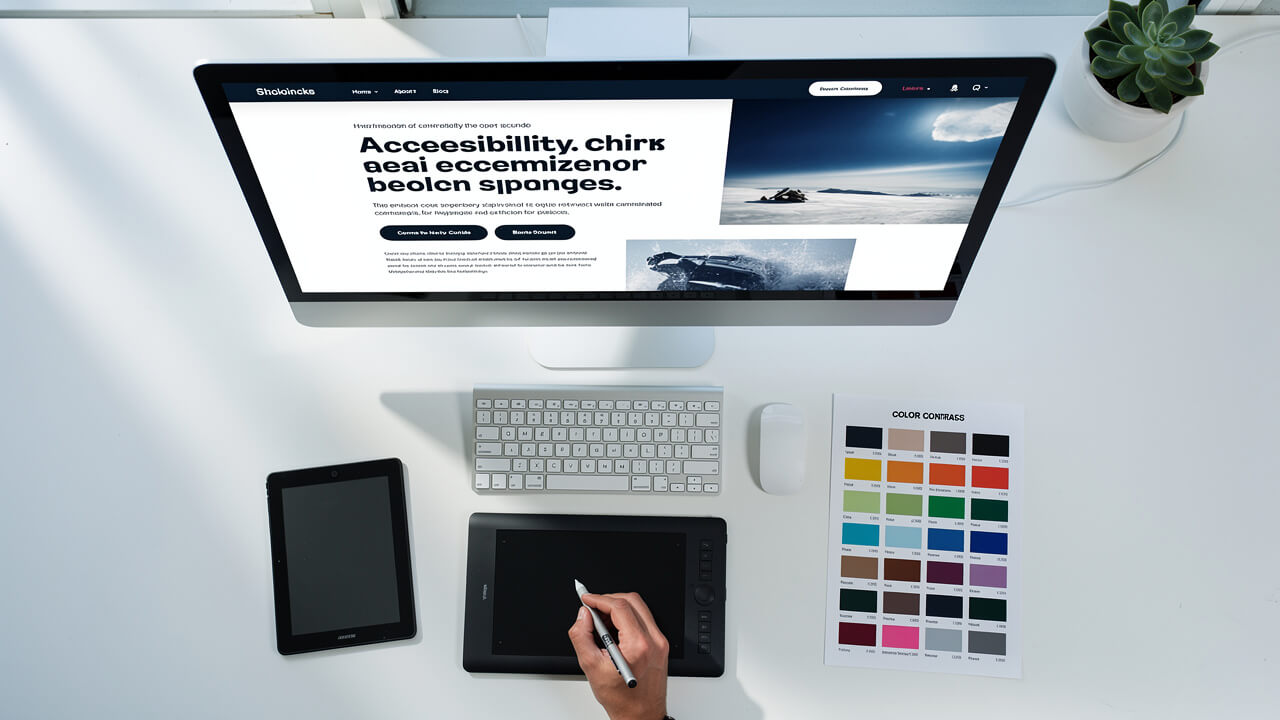
The main reference point for accessibility standards for websites is WCAG (Web Content Accessibility Guidelines). These guidelines are created and updated by the World Wide Web Consortium (W3C), the same body that sets many other web standards. Canadian laws, and even US laws such as the Americans with Disabilities Act, often look to WCAG when they talk about what an accessible website should do. WCAG 2.1, released in 2018, added 17 new success criteria on top of the original WCAG 2.0 framework, specifically addressing mobile accessibility and the needs of users with low vision or cognitive disabilities.
WCAG is built on four simple ideas, often remembered with the word POUR. Each idea focuses on how real people use the web.
Perceivable means that users can sense the content in some way. Text needs enough colour contrast to stand out from the background. Images that carry meaning need alt text, so a screen reader can describe them. Video and audio need captions or transcripts so people who cannot hear still get the message.
Operable means that people can control the site. Every action on your site should be possible with a keyboard alone, from opening menus to submitting forms. Content should not flash in a way that can trigger seizures, and auto‑rotating banners should not move so fast that people cannot read them.
Understandable means the content and controls make sense. Plain language, consistent navigation, and clear headings help visitors know where they are and what to do next. Forms need labels and error messages that explain what went wrong and how to fix it, rather than a vague red box.
R: Reliable For Assistive Technology is the fourth principle. It means the code works well with a wide range of browsers and assistive tools. When developers use standard HTML elements and proper structure, screen readers and other tools can interpret the page correctly now and as technology advances.
WCAG also sets three levels of conformance:
Level A is the basic floor.
Level AA is the common target for most businesses and the level cited in many laws, including the Accessibility for Ontarians with Disabilities Act (AODA).
Level AAA is very strict and usually applies only to certain pages or high‑risk content.
For Canadian companies that rely on their site for lead generation, aiming for WCAG 2.1 Level AA is a practical goal. It covers the main barriers that real users face, including mobile use and low vision, and lines up well with both Canadian rules and ADA expectations when work crosses the border.
Canadian Accessibility Laws—What Your Business Needs To Know
Canada uses a mix of federal and provincial laws to push accessibility forward. That can feel confusing, but the message for most private businesses is clear: websites are moving into the same category as ramps and elevators. In the United States, ADA-related web accessibility lawsuits have grown dramatically, with over 4,000 federal web accessibility cases filed in 2023 alone—a trend that signals where Canadian enforcement is heading.
At the federal level, the Accessible Canada Act came into force in 2019 with a target of a barrier‑free country by 2040. Right now, it focuses on federally regulated groups such as banks, telecoms, airlines, and government bodies. Even if your Alberta‑based trades or industrial company does not fall into that list, the Act shows where policy is heading and shapes public expectations.
The strongest current web requirement sits in Ontario, under the Accessibility for Ontarians with Disabilities Act (AODA). For public sector organisations and private or non‑profit organisations with fifty or more employees, public websites must meet WCAG 2.0 Level AA for most content. Non-compliance penalties under AODA can reach up to $100,000 per day for corporations, so larger firms take this seriously.
Other provinces are following a similar path, for example:
Manitoba, with the Accessibility for Manitobans Act
Nova Scotia, with its Accessibility Act
British Columbia, with the Accessible British Columbia Act
These laws vary in timing and detail, yet all share the same direction: better access to information and services for people with disabilities, which includes websites.
Alongside those laws sits the Canadian Human Rights Act. It prohibits discrimination based on disability. If someone cannot use your website to apply for a job, request a quote, or access key information, they can argue that your company is shutting them out in practice, even without a specific provincial rule.
For a business owner, the safest and simplest approach is to treat WCAG 2.1 Level AA as the standard. Meeting that level lines up with current rules, gets you ready for future changes, and lowers the chance of complaints or legal action while you keep your focus on growth.
Common Accessibility Barriers And How To Fix Them

Looking at thick technical documents can feel heavy, so it helps to focus on the issues that show up again and again on real business sites. Research by WebAIM analysing the top one million home pages found that 96.3% had detectable WCAG 2 failures, with an average of 56.8 accessibility errors per page. Many of these are quick to spot and, once fixed, bring your website much closer to accepted accessibility standards for websites.
Missing or vague alt text. When an image has no alt text, or uses a label like “image one”, anyone using a screen reader misses the point. Missing alt text was the most common error found on 54.5% of home pages in WebAIM’s 2023 report. For photos that matter, write a short description that explains the purpose, such as a technician inspecting a truck fleet. For decorative images, use empty alt text so assistive tools skip them.
Poor colour contrast. Light grey text on a white or pale background is hard to read for many visitors, not only for those with low vision. Insufficient colour contrast affects approximately 1 in 12 men and 1 in 200 women who experience some form of colour vision deficiency. Use a free contrast checker and look for a ratio around 4.5:1 for normal text. Darker text on a lighter background is usually a safer choice that still matches your brand.
Non‑descriptive links. Links that only say “click here” or “learn more” give no clue when read out of context, which is how many screen reader users browse. Write link text that describes the destination, such as “View commercial electrical services” or “Download the safety checklist for oilfield sites”.
No keyboard navigation. Many people cannot use a mouse because of injury, illness, or permanent disability. Test your site using only the Tab, Shift+Tab, Enter, and arrow keys. You should be able to reach every menu, button, and form field, and always see a clear focus highlight that shows where you are.
Inaccessible forms. Contact and quote forms are where leads appear, so problems here cost real money. Each field needs a label that remains visible, not just placeholder text that vanishes when someone types. Error messages should name the exact field and explain what needs to change, instead of just showing a red outline.
Uncaptioned video or audio. Promo videos, webinars, and safety briefings without captions shut out people who are deaf or hard of hearing. Studies show that approximately 85% of Facebook video is watched without sound, meaning captions benefit a far broader audience than those with hearing loss. Adding accurate captions and a text transcript helps those visitors, benefits people who watch with sound off, and offers extra content for search engines to index.
Broken heading structure. Many sites use heading tags only for visual size, which confuses screen readers. Each page should have one H1 for the main topic, then H2 and H3 headings that follow a logical outline. This simple structure makes the page easier to scan for every visitor and lines up closely with WCAG guidance.
Addressing these items covers a large share of real‑world issues. It also makes your site feel smoother for busy project managers, site supervisors on mobile, and anyone working in less than ideal conditions, such as a noisy job trailer or a sun‑lit truck cab.
How To Get Started With Website Accessibility—And Who Can Help

Becoming fully accessible does not happen in a single week, but getting moving is more straightforward than it may look. A clear plan helps you avoid guesswork and turn accessibility standards for websites into concrete next steps. Companies that invest in accessibility improvements report measurable returns: Forrester Research found that accessible design can reduce the cost of maintaining websites by up to 10%, while simultaneously expanding the addressable audience.
To move ahead, work through three steps:
Audit your current site. Start with free automated tools such as WAVE or Google Lighthouse to flag missing alt text, contrast problems, and code issues. Remember that these scanners only catch part of the picture—automated tools typically identify only 30% to 40% of accessibility issues—so follow up with simple manual checks such as keyboard‑only navigation and trying your site with a screen reader like NVDA or VoiceOver.
Prioritise and fix the most serious barriers. Focus on the pages that drive business results, such as service pages, quote forms, and contact details. Work with your developer, designer, and content writer to adjust colours, add captions, repair headings, and improve forms. Keep a short, written list of what has been fixed and what still needs work so progress stays visible.
Build accessibility into everyday practice. Train the people who add content so new pages use proper headings, meaningful links, and clear language. Before launching new features, include a quick keyboard test and a check for basic colour contrast. Publishing a short accessibility statement that shares your target standard and contact method also shows that you take this seriously. Where you can, invite people with disabilities to test key tasks on your site; they often spot issues that tools miss.
If your site is older, a a redesign can be the fastest way to reach current expectations. This is where a partner such as Cutting Edge Digital Marketing makes a difference. Our team builds custom websites for Alberta and Western Canada businesses in construction, trades, and industrial sectors, with clean code, clear structure, and strong UX that line up with modern accessibility practices. That foundation supports better rankings, smoother lead flow, and less stress about compliance.
Conclusion

Accessibility standards for websites are no longer a side topic. For Canadian service‑based and industrial businesses, aiming for WCAG 2.1 Level AA is a practical way to reach more customers, meet growing legal expectations, and avoid barriers that quietly block qualified leads.
An accessible site is easier to read, easier to navigate, and easier for search engines to understand. It helps a project manager with a hearing aid watch your safety video, a senior buyer fill out your RFQ form, and a long‑time client find your new service page on a phone.
Accessibility is an ongoing practice, but it becomes far easier when your website is built on strong foundations. If you are planning a redesign, or suspect your current site is leaving people out, this is the right time to act. Start with a focused audit, fix the biggest barriers, and consider partnering with a specialist like Cutting Edge Digital Marketing to build a high‑performing, inclusive website that supports your growth targets for years to come.
FAQs
Does My Small Canadian Business Need To Comply With Web Accessibility Standards?
Legal rules vary by province and by organisation size, and some laws such as AODA focus on larger employers. That said, any business can face a human rights complaint if a person with a disability cannot use its site. Aiming for WCAG 2.1 Level AA is a smart, future‑ready standard for companies of all sizes.
What Is The Difference Between WCAG 2 Point 0 And WCAG 2 Point 1?
WCAG 2.0 set the original modern benchmark for web accessibility. WCAG 2.1 keeps all of those rules and adds extra checks for mobile use, people with low vision, and people with cognitive challenges. Even though some laws still name WCAG 2.0, aiming for WCAG 2.1 Level AA gives broader, longer‑term coverage.
How Do I Test My Website Accessibility?
Begin with free automated tools such as WAVE, axe DevTools, or Google Lighthouse to spot quick wins. Then carry out manual checks by tabbing through your site without a mouse and trying it with a screen reader such as NVDA or VoiceOver. For full WCAG assessment, many growing companies choose a professional accessibility audit alongside their web development partner.