Picture this. A company in Calgary spends five or even ten thousand dollars each month on Google Ads. The phones ring a bit more, a few forms come in, but no one can say which clicks turned into real jobs or purchase orders. At that point, ad spend stops feeling like an investment and starts feeling like a gamble. That guesswork is expensive.
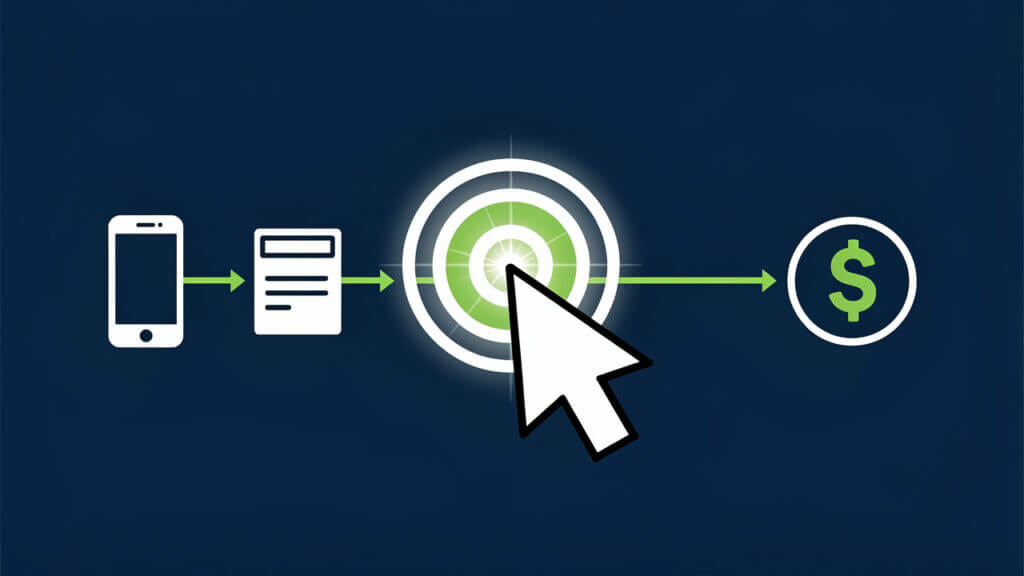
That is where a solid conversion tracking setup in Google Ads changes everything. Conversion tracking is the link between ad spend and real business results. It shows which campaigns, keywords, and ads lead to quote requests, form submissions, phone calls, and online purchases instead of just counting clicks.
There are two big groups of conversions that matter: online actions such as form submissions, purchases, and key page visits, and offline actions such as phone call sales and closed deals that start from a lead. A careful conversion tracking setup in Google Ads connects both sides, so the numbers in the account match what happens in the real world.
When tracking is accurate, Google’s Smart Bidding tools can also work in your favour, using real conversion data to adjust bids and bring in more of the right leads. At Cutting Edge Digital Marketing, our team sets up and manages this tracking for industrial, trades, and service-based companies across Alberta and Western Canada every day. In this guide, you will see how to set up Google Ads conversion tracking, link offline revenue, fix common problems, and use that data to make better decisions with your ad budget.
“Half the money I spend on advertising is wasted; the trouble is, I don’t know which half.” — John Wanamaker
Good conversion tracking exists so you can see which half is working and which half needs attention.
Key Takeaways
Conversion tracking connects Google Ads spend directly to business outcomes such as qualified leads, booked jobs, and sales. With a clean conversion tracking setup in Google Ads, you stop guessing and start seeing which campaigns pull their weight. This gives owners and managers clear numbers instead of gut feelings.
Every serious Google Ads account needs a base Google Tag and clearly defined conversion actions. These are the core building blocks that allow the system to record what happens after a click. Without them, reporting, optimisation, and any kind of smart bidding all fall apart.
For lead generation companies, online form fills are only part of the story and offline tracking is just as important. Phone call leads and form submissions that later turn into signed contracts should be connected back to the original click. This gives a true view of return on ad spend.
Most conversion tracking setups work best through Google Tag Manager (GTM) because all tracking tags live in one place. Small issues such as unpublished GTM containers, disabled auto‑tagging, or missing code after a website change often cause tracking to break. Fixing these small items restores accurate data and better Smart Bidding performance.
What Is Google Ads Conversion Tracking and Why Does It Matter?
Before touching any settings, it helps to be clear on what a conversion actually is. In Google Ads, a conversion is any valuable action someone takes after clicking your ad. That could be a contact form, a quote request, an online purchase, a booked service visit, or a phone call that reaches your office or dispatcher.
A proper conversion tracking setup in Google Ads rests on two building blocks. The first is the Google Tag, the base piece of code that lives on every page of your site. When someone clicks an ad and lands on your site, this tag lets Google connect their later actions, such as a form submission, back to that original click. The second building block is conversion actions. These are the specific goals you define in your account, such as “Request a Quote Form” or “Phone Call Lead.” Each conversion action has its own conversion ID and conversion label, which are used in your tags.
If these pieces are not set up or not firing, Google Ads only knows that clicks happened. It cannot see which clicks brought in work worth ten thousand dollars and which clicks brought nothing. That makes cost per lead and return on ad spend impossible to measure in a useful way.
For Alberta service, trades, and industrial businesses, one missed conversion can mean a lost job worth many thousands of dollars. When tracking is off, budget often shifts toward high‑click campaigns instead of high‑profit campaigns. For any company serious about growth, accurate Google Ads conversion tracking is the base layer. It turns the account from a traffic report into a clear view of what marketing does for revenue.
“Without data, you’re just another person with an opinion.” — W. Edwards Deming
Good tracking gives you data you can trust instead of guesses.
How to Set Up Conversion Tracking in Google Ads Step-by-Step

A strong conversion tracking setup in Google Ads starts inside the account, then moves to your website. First, you create one or more conversion actions that match your goals. Next, you install the tracking tag so Google can see when those actions happen.
This process sounds technical, but when broken into steps it is very manageable. The key is to move slowly, name things clearly, and test your work before relying on the numbers.
Creating a Conversion Action in Google Ads
The first step is to tell Google Ads what you want to count as success. This happens on the Conversions screen inside your account.
To set up a basic website conversion action:
Add a new conversion and choose Website as the type, since the action starts on your site.
Give the conversion a clear, descriptive name so anyone on your team understands it later. Names such as “Main Contact Form Submission” or “Online Purchase” are much better than generic labels.
Decide how to handle value. Lead generation companies often assign an average lead value, while online shops can pass through real order totals from the cart.
Choose how many conversions to count per click. For leads, “One” usually makes sense so the same person cannot appear as five conversions if they submit the form multiple times. For purchases, “Every” is best because each order matters.
Set other options such as the conversion window and attribution model. Longer B2B sales cycles may benefit from a longer window, and many accounts do well with data‑driven attribution.
When you save, Google shows the conversion ID and conversion label that you will use in your tag.
Implementing the Google Ads Conversion Tag
Once the conversion action exists, you need to make sure Google hears about it when it happens. There are two common ways to do this, and both use the conversion ID and conversion label from the previous step.
Method 1: Google Tag Manager (recommended)
Google Tag Manager is the recommended path for most companies.First, confirm that your GTM container code is installed on every page of your website.
Inside GTM, create a new tag and choose the Google Ads conversion tracking template.
Paste in the conversion ID and conversion label, and if you sell online you can connect variables that pull order totals and currency from your data layer.
Add a trigger so the tag fires on a specific action, such as a thank‑you page view after a form or an order confirmation page.
Test in Preview mode, then submit and publish the container so the changes go live.
Method 2: Direct code on the site
In this case, your developer adds the global Google Tag (gtag.js) to the head of every page. Then they place a smaller event snippet on the confirmation page related to that conversion. This method can work well for simpler sites but tends to be harder to manage as your tracking needs grow.
For Alberta businesses planning to track Google Ads, Meta Ads, and analytics together, GTM usually becomes the easier long‑term choice. It keeps all tags in one place, reduces back‑and‑forth with developers, and makes it far simpler to adjust or add new conversion actions as your campaigns change.
How to Track Offline Conversions for Lead Generation Businesses
Many service‑based and industrial companies close their best deals offline. A project often starts with a form or a phone call from a Google Ads click, but the quote, site visit, and signed agreement all happen later. A good conversion tracking setup in Google Ads should reflect that full path, not just the first touch — the same principles behind conversion tracking in higher education marketing, where long decision cycles make attributing final enrolments to original ad clicks equally critical, apply directly to B2B and service-based industries.
There are two main parts to this for lead generation:
tracking phone call leads that start from ads or from your website
connecting form submissions to the final sale by importing offline conversion data from your CRM or job management system
Tracking Phone Call Conversions

For many trades and field service teams, the phone is still the fastest way to book work. Google Ads can track these calls if you turn on the right settings and code.
To track calls from ads and your site, you generally need:
Call reporting turned on in your account, which allows Google to record basic call information such as time and duration when people phone your business from ads
Google Forwarding Numbers, which replace your regular phone number with a special number for users who clicked your ad
This number swap can happen on call‑only ads, on call extensions, and on your website when someone visits after a click. The caller does not notice, and the call still rings through to your normal line, but Google now knows that the call came from a specific campaign or keyword.
Inside your conversion settings, you can decide how long a call needs to last before it counts as a lead. Many Alberta companies choose a minimum length such as sixty or ninety seconds. Very short calls often mean wrong numbers or hang‑ups. With this setup, you can finally see which ads turn into real conversations with prospects, not just which ads drive traffic.
Uploading Offline Conversion Data (Form Leads to Closed Sales)

A web form submission is a good sign, but for most B2B and high‑value services, the win comes later when the job is approved or the contract is signed. You can connect those final wins back to your Google Ads by importing offline conversions.
At a high level, the process looks like this:
Capture the GCLID. The GCLID, or Google Click Identifier, is a code attached to each ad click. When auto‑tagging is active in your account settings, this code appears in the URL when someone arrives from an ad. Your website should store this ID with the lead record in your CRM or job system. That way, when a lead becomes a customer months later, you still know which click started it.
Create an offline conversion action. In Google Ads, create an offline conversion action and choose the import option for data from other sources or CRMs. This tells Google that you will send files that match GCLIDs to final sale events.
Prepare your upload file. Use a simple spreadsheet or Google template that includes the GCLID, the conversion name, the date and time the sale closed, and the revenue value in Canadian dollars.
Upload the data. Uploads happen on the Conversions page under the Uploads tab. You can do this manually every week or connect systems such as HubSpot or field service platforms through tools like Zapier.
When Google Ads receives this data, it can report which clicks, keywords, and campaigns drive real booked revenue, not just leads. For owners and managers, this is the point where Google Ads reporting starts to line up with the numbers in the accounting system.
Google Ads Conversion Tracking Not Working? How to Fix It

Even a strong conversion tracking setup in Google Ads can stop working after a website change or account tweak. When that happens, it is tempting to assume the problem is deep or technical. In practice, most issues come down to a few simple checks.
Start with verification:
Google Tag Assistant is a browser tool that shows which tags fire on each page and whether they report any errors.
GTM Preview mode lets you click through your site while watching tags fire in real time, which is helpful for form submissions and button clicks.
Inside Google Ads, the status column for each conversion also gives clues, moving from “Unverified” to “Recording conversions” after valid data arrives.
Many tracking problems start inside Google Tag Manager. A very common issue is forgetting to publish changes after adding a new tag or editing a trigger. The new setup looks fine in the interface, but the live site still runs an old version. Another issue is an incorrect trigger, such as a thank‑you page URL that changed during a website refresh. In both cases, the fix is to update the trigger, test in Preview, and publish the new container.
Website updates and migrations cause another large share of headaches. It is easy for developers to remove or miss a GTM container snippet or Google Tag when moving templates or themes. If conversions suddenly drop to zero after a launch, checking that the tracking code still appears across all pages is a smart first step. Also confirm that auto‑tagging remains active so GCLIDs continue to pass through.
Some loss of data is normal due to browser privacy tools and ad blockers. These tools can block tags from firing for a portion of users, which means Google Ads may show fewer conversions than your internal records. The key is to fix clear setup errors first. Once your base tracking is healthy again, you can feel more confident about the trends and make better budget choices.
How to Use Conversion Data to Optimize Your Google Ads Campaigns

Once your conversion tracking setup in Google Ads is stable, the real value comes from how you use that data. Conversions are not just a report to glance at; they are the steering wheel for your campaigns.
Start by looking at performance at every level of the account — understanding how to analyze Google Ads data at the campaign, ad group, and keyword level is essential before making any budget or bidding decisions. Compare campaigns, ad groups, and keywords on metrics such as cost per conversion and conversion rate, not just clicks. Often, a keyword with fewer clicks but a much higher conversion rate is worth a larger share of the budget.
Use your conversion data to:
shift budget from costly, low‑performing areas to campaigns that generate profitable leads
refine keyword lists by pausing terms that drive clicks without conversions
test new ad copy that speaks directly to the offers and services people actually convert on
With enough conversions, Smart Bidding strategies start to shine. Target CPA focuses on getting as many conversions as possible at or under a target cost per lead. This can work very well for companies that know what they can afford to pay for each quote request or call. For online stores and some service businesses that pass revenue values, Target ROAS aims for a certain return on ad spend. For example, a target of four hundred percent means aiming for four dollars in revenue for every dollar spent.
“The goal is to turn data into information, and information into insight.” — Carly Fiorina
When Smart Bidding runs on clean data, that is exactly what happens: raw numbers turn into practical insight about where to spend and where to pull back.
Smart Bidding only works as well as the data it receives. If conversion tracking is missing events or counting low‑quality actions as full leads, the system will make poor choices. That is why Cutting Edge Digital Marketing spends so much time on clean tracking for Alberta clients before scaling spend. Our team connects online and offline conversions, filters out unqualified actions where possible, and then uses that data to guide bidding and budget decisions. For owners and managers, this means less time guessing in Google Ads and more time looking at clear lead and revenue reports.
Conclusion
Running Google Ads without solid conversion tracking is like pricing large projects without knowing your material or labour costs. The numbers might look busy, but they do not guide smart decisions. A reliable conversion tracking setup in Google Ads gives you a clear line from each click to real leads and revenue.
The steps are straightforward when broken down. You define what counts as a conversion, add the Google Tag and conversion actions, connect offline sales where needed, and fix small issues when data stops flowing. From there, Smart Bidding and careful analysis turn that data into better campaigns and better use of your budget.
For many Alberta and Western Canadian businesses, the challenge is not interest but time and expertise. That is where Cutting Edge Digital Marketing acts as a strategic partner. Our team plans, installs, and maintains the tracking, then manages and improves campaigns with a clear focus on ROI. If your company is ready for a Google Ads setup that tracks every important lead and supports real growth, it is a good time to start that conversation.
FAQs
Question 1 What is the difference between a conversion action and a conversion goal in Google Ads?
A conversion action is a single event that you track in your account, such as a contact form submission, a booked call, or an online purchase. Each action has its own settings and value. A conversion goal is a group of actions that share the same intent, such as leads or sales, and can be used at the campaign level. Goals tell Google Ads and Smart Bidding what type of outcomes to focus on, while actions provide detailed data inside that goal.
Question 2 How long does it take for Google Ads conversion tracking to start showing data?
In most cases, you can expect valid conversion data to appear within about one day after the first conversion happens. The system needs time to process the new tag activity and confirm that the signals are real. If the status for a conversion stays “Unverified” well beyond that point, it is wise to test using Tag Assistant and GTM Preview mode. New accounts might also need that first real conversion before the status updates and the numbers begin to show.
Question 3 Do I need Google Tag Manager to set up conversion tracking in Google Ads?
You can set up conversion tracking without Google Tag Manager (GTM) by placing the Google Tag and event snippets directly in your site code. That path can work when the site is simple and changes are rare, but it often depends heavily on a developer for every update. Google Tag Manager gives marketers more direct control, allows version history and easy testing, and keeps all tags in one central place. For most growing businesses, GTM is the better long‑term choice for managing Google Ads conversion tracking and other tags.
Question 4 Can I track phone call conversions without using Google Forwarding Numbers?
Yes, it is possible to track phone call conversions using third‑party call tracking platforms that integrate with Google Ads through offline conversion imports. These tools can record calls, attach them to GCLIDs, and send final sales data back into your account. Many small and mid‑sized companies, however, find that Google Forwarding Numbers provide a simple and no‑cost way to see which ads drive calls. For firms with complex phone systems or existing call tracking software, a third‑party tool with strong Google Ads integration can still be the better fit.