
Table of Contents
- How to Audit Your Google Ads Account Structure and Campaign Settings
- How to Conduct a Google Ads Keyword Audit and Search Term Analysis
- What to Look for in a Google Ads Ad Copy and Landing Page Audit
- How to Audit Google Ads Conversion Tracking and Bidding Strategy
- How to Identify Google Ads Wasted Spend and Optimize Budget Allocation
- Ready to Stop Guessing and Start Growing? Work With Cutting Edge Digital Marketing
- Frequently Asked Questions
- Conclusion
Many Alberta contractors and service firms spend $2,000 to $10,000 a month on Google Ads and feel the money just disappears. To run a PPC audit for Google Ads step by step, you review account structure, keywords and search terms, ads and landing pages, conversion tracking and bidding, then budget allocation.
When those pieces do not line up, you pay for weak clicks, miss strong leads, and reports stop matching real revenue.
As retailer John Wanamaker famously said, “Half the money I spend on advertising is wasted; the trouble is I don’t know which half.” A clear PPC audit helps you find and reduce that waste.
This guide breaks a PPC audit for Google Ads into clear sections in plain language. You will see what to check, what to fix, and which numbers matter most to a service, trades, construction, or industrial business. Use it to tighten your own account or to brief a partner like Cutting Edge Digital Marketing.
How to Audit Your Google Ads Account Structure and Campaign Settings

Auditing your Google Ads account structure and campaign settings means checking how campaigns, ad groups, and key options are organized. A clear structure keeps your budget focused on the right services and locations instead of random clicks.
For Alberta service and industrial companies, start by asking whether campaigns line up with real business units. Separate commercial from residential work, and break out high‑margin services, like emergency repair or large industrial projects. Research from WordStream found that poor structure and loose targeting can waste well over half of a typical Google Ads budget on search terms that never convert.
Next, review network settings inside each search campaign. For lead generation, most accounts should remove the Display Network and often Search Partners, then run a focused paid search audit on core search traffic. That single setting change can stop a lot of top‑of‑funnel clicks that never turn into quotes.
Location settings are another silent budget leak. For an Edmonton or Calgary contractor, set targeting to Presence in your locations so ads show only to people actually in your service area, not to people overseas reading about Alberta. Then look at ad scheduling and make sure search campaign optimization centres on business hours, not late‑night or weekend windows that almost never close deals.
Here is a fast structural checklist you can walk through during a Google Ads account audit:
Check campaign naming so anyone can see service type and region at a glance. Clear names make PPC performance analysis easier and stop you from mixing unrelated services. This also helps when you review reports with your leadership team.
Confirm each major service has its own campaign and budget line. That way emergency service, maintenance contracts, and big industrial projects do not compete in one shared pot. You gain control over which work gets priority when money is tight.
Review location, language, and network settings for every campaign. Small mistakes here can push spend into countries you never serve or devices that rarely convert. Fixing these settings is one of the fastest Google Ads optimization steps you can apply.
Ad Group Theming From SKAGs to STAGs
Ad group theming from SKAGs to STAGs means grouping related keywords by topic instead of one keyword per ad group. This structure matches how Google’s machine learning now tests and rotates ads.
Single Theme Ad Groups (STAGs) let you group close phrases like emergency furnace repair, 24 hour furnace repair, and furnace repair near me together. That tight grouping keeps ad copy and landing pages highly relevant, which improves Quality Score and lowers cost per click. If several ad groups are bidding on the same term, you are likely seeing keyword cannibalization and need to merge them into clearer themes during your PPC account review.
How to Conduct a Google Ads Keyword Audit and Search Term Analysis

Conducting a Google Ads keyword audit and search term analysis means comparing the keywords you bid on with the real queries that trigger your ads. This step protects your budget from low‑intent traffic that never becomes a paying customer.
The main tool here is the Search Terms Report inside Google Ads. Sort by spend and scan for phrases that clearly do not match your service, like jobs, training, DIY, or cheap. According to HubSpot, around 65 percent of clicks for purchase‑ready searches go to paid ads, so protecting intent is a direct path to better leads.
Now look at match types. Exact Match and Phrase Match usually make sense for mid‑sized Alberta advertisers, because they keep a tighter lid on irrelevant impressions. Broad Match can still work in a Google Ads performance audit, but only when you have a strong negative keyword system and solid conversion data feeding smart bidding.
Use this table as a starting point for negative keywords by industry:
| Industry | Example Negative Keywords | Why They Waste Budget |
|---|---|---|
| Trades | free, cheap, DIY, how to, jobs, courses | Attracts price shoppers, students, and information seekers |
| Industrial | entry level, salary, training, safety jobs | Pulls in job seekers instead of procurement or maintenance buyers |
| Construction | design ideas, pictures, home decor, small DIY | Sends clicks from homeowners browsing, not decision makers |
During a PPC campaign audit, also compare spend and conversions by keyword theme. Pause or downbid keywords that drive clicks with no form fills or calls in GA4, and shift that money into high‑intent phrases with steady lead volume.
Statistician W. Edwards Deming is often quoted as saying, “In God we trust; all others must bring data.” Your keyword and search term reports are the data that show where your ad spend really goes.
What to Look for in a Google Ads Ad Copy and Landing Page Audit

A Google Ads ad copy and landing page audit checks how well your ads attract the right searchers and how well your pages turn those clicks into leads. Winning the impression is only half the job; the rest happens after the click.
Start with Responsive Search Ads. Each A/B tests on headlines should combine strong keywords, clear benefits, and specific trust signals that matter in Alberta, such as COR Safety Certified, Serving Alberta for 20 Years, or A+ BBB Rated. If you see the same bland line repeated across several headlines, you likely need a focused Google Ads ad copy audit.
Next, review Ad Assets. Sitelinks can send people straight to Request a Quote or Emergency Service pages, while Call Assets let mobile users phone your office in one tap. Research from WordStream shows that using relevant ad extensions can raise click‑through rate by 10 to 15 percent without raising bids, which makes them a smart part of any PPC audit checklist.
Then step through a simple Google Ads landing page audit. Click each top ad and see where it goes. If a highly specific keyword such as industrial pump repair Grande Prairie lands on a generic homepage, your message match is broken and conversion rate will suffer. According to Google, when load time moves from one to three seconds, the chance of a bounce jumps by 32 percent, so speed checks belong in this review as well.
For every key service page, make sure three elements appear above the fold:
A headline that repeats the main keyword phrase in natural language. This reassures the visitor they landed in the right place and supports your Google Ads Quality Score audit. It also helps busy buyers scan the page in a second or two.
A strong primary call to action such as Request a Quote or Call for Service. The button should stand out in colour, work perfectly on mobile, and lead to a very short form. Extra fields often cut conversion rate on service pages.
Visible trust cues like safety badges, association logos, testimonials, or project photos. Decision makers in construction and industrial fields look for proof that you can handle risk and scale. Placing these items near your main CTA can lift form and call volume.
How to Audit Google Ads Conversion Tracking and Bidding Strategy
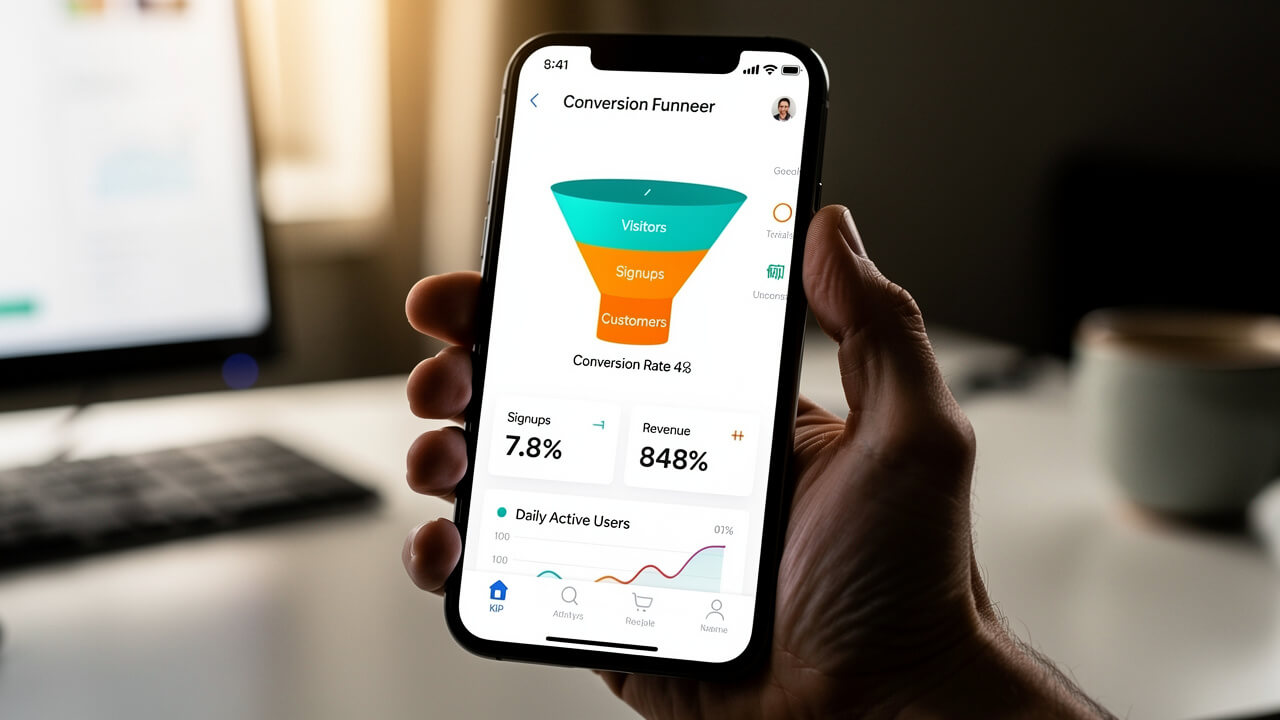
Auditing Google Ads conversion tracking and bidding strategy means checking that every valuable lead action is recorded correctly and that your bidding method uses that data in a smart way. Without this step, any Google Ads optimization tips you apply sit on shaky ground.
As quality expert W. Edwards Deming also noted, “Without data, you’re just another person with an opinion.” Accurate conversion tracking turns opinions about performance into facts.
Start with tracking. In a solid Google Ads conversion tracking audit, you confirm Google Tag Manager, GA4, and Google Ads conversion tags all fire as expected. Test common actions such as form submits, click‑to‑call, and quote requests, and watch real‑time reports to see if each event records only once. If the same form shows as two conversions, smart bidding will think the campaign performs better than it does.
Then separate macro‑conversions from micro‑conversions:
Macro‑conversions include things like a request for quote, a contact form with project details, or a phone call longer than 60 seconds.
Micro‑conversions are softer actions, like viewing several pages or downloading a brochure.
Only the macro‑events should count in the main Conversions column that feeds Google’s bidding system.
Next, review your Google Ads bidding strategy against business goals. Manual CPC can work for small accounts, but it demands constant attention from your team. For established accounts with steady data, strategies like Target CPA or Maximize Conversions often make more sense. According to Google Ads Help, advertisers that combine Smart Bidding with solid conversion data can see around 20 percent more conversions at similar cost per action.
Finally, look at call tracking and offline revenue signals. Dynamic Number Insertion lets you tie phone leads back to specific keywords and ads. For long sales cycles in industrial or commercial construction, feeding closed‑won data from a CRM such as HubSpot or Salesforce into Google Ads through Offline Conversion Tracking helps the algorithm spot the leads that turn into real contracts, not just form spam.
How to Identify Google Ads Wasted Spend and Optimize Budget Allocation

Identifying Google Ads wasted spend and optimizing budget allocation means finding the campaigns, times, and devices that burn money without bringing in solid leads, then shifting that money to what works. This is where a Google Ads budget audit often uncovers easy wins.
Begin with Search Impression Share in your Google Ads campaign review. Look at high‑converting campaigns first. If one brings in strong leads at a fair cost but loses a large chunk of impression share to budget limits, that is a sign you should move money from weak campaigns into that winner. Think of it as reclaiming lost opportunity rather than raising total spend.
Next, review campaigns that spend heavily but show poor conversion rates or high cost per lead in GA4. Those often hide issues uncovered earlier in the PPC campaign audit, such as sloppy keywords or weak landing pages. Fix those problems and, if results stay soft, cut their budgets and redirect funds into stronger areas.
Dayparting is another lever in any Google Ads audit checklist. Check performance by hour and day. Many B2B industrial and trades firms see almost no closes from weekend or late‑night clicks. Pausing ads in those windows can free hundreds of dollars each month without touching total budget.
Device performance matters as well. Think with Google reports that more than half of web traffic now comes from mobile devices, but that does not mean mobile always converts best. For complex quotes and engineering work, desktop users often submit more detailed, higher‑value inquiries. Use bid adjustments to trim spend on devices with poor cost per lead and increase bids slightly where your best customers convert.
Here are three quick actions to guide a Google Ads budget audit:
Rank campaigns by cost per lead, not just by clicks or spend. This shows which areas actually support revenue growth and which look busy but underperform. It also helps you defend budget changes to internal stakeholders.
Set clear budget tiers for brand, core service, and experimental campaigns. Brand and core service work should rarely lose impression share to budget if they bring profitable leads. Experimental ideas can start small and earn more money as data improves.
Review budgets monthly alongside search term and conversion reports. This rhythm keeps wasted spend from creeping back into the account. It also turns your PPC campaign optimization into a steady habit rather than a once‑a‑year clean‑up.
Ready to Stop Guessing and Start Growing? Work With Cutting Edge Digital Marketing
Partnering with a specialist turns your PPC audit for Google Ads from a one‑time clean‑up into a repeatable system for growth. That is where Cutting Edge Digital Marketing comes in.
Our team works inside Google Ads, GA4, and Google Tag Manager for Alberta service, trades, construction, and industrial clients every day. We run full Google Ads account audits, rebuild weak campaign structures, repair tracking, and align bidding strategies with real revenue targets. Instead of generic packages, we design a focused paid search audit that fits your service lines, margins, and capacity. If you want every marketing dollar to move your company forward, Cutting Edge Digital Marketing acts as your long‑term strategic partner, not just another ad vendor.
Frequently Asked Questions
Question 1: How often should I run a PPC audit for Google Ads?
You should run a full PPC audit for Google Ads every quarter once you spend more than $2,000 a month. Between full reviews, check search terms, conversion data, and budget pacing at least monthly, and run an extra audit after big changes or seasonal shifts.
Question 2: How long does a Google Ads account audit take?
A quick Google Ads account audit for a small setup can take only a few hours. A deeper Google Ads performance audit that covers structure, tracking, bidding, and landing pages usually takes one to three days, depending on account size and how many campaigns you run.
Question 3: What is a Google Ads Quality Score audit?
A Google Ads Quality Score audit reviews Google’s 1 to 10 rating for each keyword based on expected click‑through rate, ad relevance, and landing page experience. The audit flags low scores that push up cost per click and then improves ad copy, keyword grouping, and page content to fix them.
Question 4: Can I run a Google Ads audit myself?
Yes, you can run a basic Google Ads audit using the Google Ads interface, the Search Terms Report, and GA4. However, spotting structural issues, tracking errors, and bidding problems in a mature account often needs an experienced eye, especially when you are managing serious monthly spend.
Question 5: What tools can I use for a Google Ads audit?
Useful tools for a Google Ads audit include Google Ads built‑in recommendations, Google Analytics 4, Google Tag Manager, and Google Search Console. If you work with an agency such as Cutting Edge Digital Marketing, you also gain access to reporting frameworks built specifically around service and industrial campaigns. Third‑party platforms such as SEMrush or Optmyzr add extra insight, but remember that tools only surface data; strategic interpretation is what turns that data into better results.
Conclusion
A solid PPC audit for Google Ads gives you a clear view of how every click, keyword, and dollar behaves. By checking structure and settings, cleaning up keywords and search terms, tightening ad copy and landing pages, and fixing tracking and bidding, you protect your budget from silent leaks.
From there, a focused Google Ads budget audit shifts money into the campaigns, times, and devices that bring real projects, not just traffic. Alberta service, trades, construction, and industrial firms who treat this process as regular maintenance see steadier lead flow and more predictable revenue. If you want a partner to handle that work while you run the business, Cutting Edge Digital Marketing is ready to build and manage a data‑driven paid search program around your goals.